There are several ways to find a transaction in Authorize.net, depending on how it was processed from Tan-Link.
If the transaction happened today and it has not yet settled/batched out, it will be in Unsettled Transactions on the left side. You can only void an unsettled transaction, you cannot do a partial refund. If you want to partial refund, you must wait to settle it and then refund the difference.
If it happened in the past, then you will click on Search for a Transaction on the left side.
Searching for EFT, Autobill, or Redraft Transactions
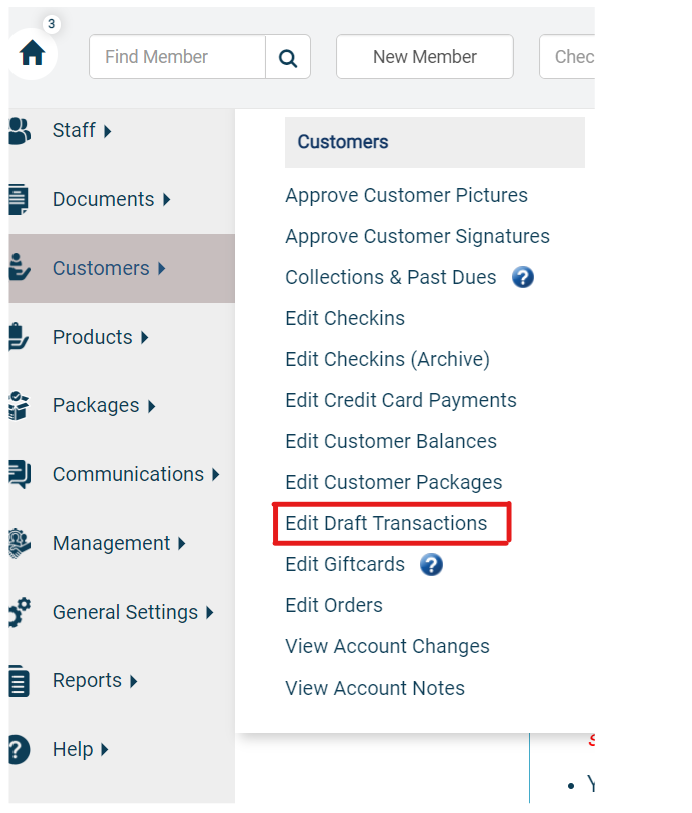
In Tan-Link, you need to locate the Transaction ID one of a few ways. If its an EFT, Autobill, or Redraft, those will be in Customers > Edit Draft Transactions. Here you can search a number of different things, the best ones are Account ID or searching the last 4 of the credit card in the Notes column.
Comments
0 comments
Please sign in to leave a comment.